



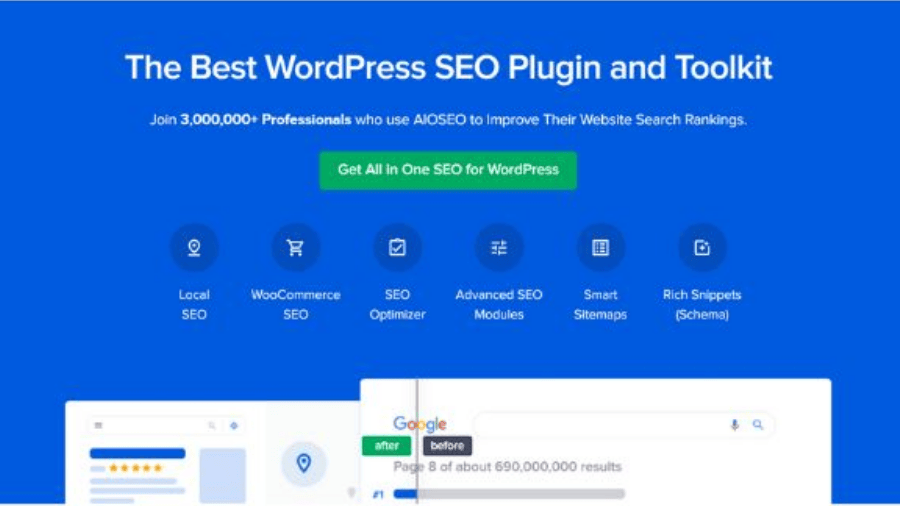
Description
Core Features of All In One SEO Pack Pro Plugin
- Unlimited downloads and access to upgrades to All in One SEO Pack Pro for as long as you maintain your subscription
- Priority support from our dedicated Support Team
- Access to video tutorials on SEO and use of this plugin
- Feature Manager provides access to a variety of SEO modules designed for all types of users
- Generate and submit an XML Sitemap to Google and Bing
- Support for Schema.org and Google Knowledge Graph
- Advanced options for Google Analytics tracking
- Easily control how your content looks on Facebook, Twitter, and other social media networks
- Set images to appear when your post is shared on social media
- Access to debugging tools provided by Facebook
- WordPress SEO Setup Wizard – Properly set up WordPress SEO in less than 10 minutes.
- On-page SEO Optimization – optimize SEO code markup (without hiring a developer)
- TruSEO score – detailed content & readability analysis to help you optimize your pages for higher SEO rankings.
- Smart Meta Title & Description – Automatic SEO generation, dynamic smart tags, and more.
- Unlimited SEO Keywords – our SEO content analyzer helps you optimize your pages for unlimited keywords.
- XML Sitemap – Advanced SEO sitemaps for your site.
- Video SEO Sitemap – Improve your SEO rankings with a video sitemap.
- News SEO Sitemap – Increase your SEO traffic with Google News sitemap.
- RSS SEO Sitemap – Improve SEO crawl frequency with RSS sitemap.
- Automatic Image SEO – Our image SEO module helps your images rank higher.
- Local Business SEO – Improve your local business SEO presence with our local SEO module.
- Rich Snippets Schema – Get better click-through rate (CTR) and increase SEO rankings with rich snippets schema.
- Knowledge Graph Support – Improve your website’s search appearance with an SEO Knowledge panel.
- Sitelinks Search Box – Helps you get a search box in Google SEO rankings.
- Google Site Links – Our SEO markup can help you get site links for your brand.
- Robots.txt Editor – Control what SEO robots can see with our easy SEO robots.txt editor.
- SEO Audit Checklist – Improve your website’s SEO ranking with our SEO audit checklist.
- Google Search Console – Connect your WordPress site with Google webmaster tools to see additional SEO insights.
- Search Engine Verification Tools – Easily integrate with other popular SEO webmaster tools to improve search visibility.
- Google AMP SEO – Improve your mobile SEO rankings with Google AMP SEO.
- Advanced SEO Canonical URLs – Prevent duplicate content in SEO with automatic canonical URLs and boost your SEO rankings.
- Advanced Robots Meta SEO Settings – granular controls for no index, no follow, no archive, no snippet, max snippet, max video, and more.
- RSS Content for SEO – Stop content theft from hurting your SEO rankings with our RSS Content tool.
- User Access Control – Control who can manage your SEO settings with our advanced SEO access control.
- Competitor Site SEO Analysis – Use our competitor SEO analysis to outrank them by improving your website’s SEO optimization.
What’s New (Changelog) in All In One SEO Pack Pro v4.7.9 (+Addons)
Version 4.7.9 – February 4, 2025
Updated
- Schema product suggestedMinAge/suggestedMaxAge properties to conform with Google’s structured data merchant listing requirements.
- Added a button to apply new headlines directly to the post title inside the Headline Analyzer.
- TruSEO now supports additional ACF Custom Field types.
- Exported JSON/CSV files now include the post title and term name columns.
- Improved handling of Focus Keyphrase errors from Semrush API.
- Turned off autoloading by default for a number of AIOSEO options to improve performance.
Fixed
- Access control role check to properly verify if the role has edit_post permissions.
- Existing additional sitemap pages with different priority, frequency, or last modified values were not getting updated when importing a CSV file.
- Tabs were not displaying active status correctly when using RTL due to CSS conflicts.
- Image title sometimes duplicated when using Elementor page builder.
- Alt text settings were not applied to images when showing latest posts on the homepage.
- Excluded posts/terms would sometimes not be correctly excluded from sitemaps.
- SERP Preview disappearing when using numeric custom fields in ACF.
- Filenames duplicated in rare cases when Strip Punctuation is enabled in Image SEO.
- Adding links to WordPress Gallery Block would sometimes not work when Strip Punctuation is enabled in Image SEO.
- Trailing slash added to a redirect’s target URL even if the URL is external.
- Orphaned Posts filter not working correctly in the Link Assistant.
- Table of Content block’s heading could sometimes break when adding a link from Link Assistant.
- “Don’t update the modified date” checkbox now works properly in post’s quick edit screen.
- Missing tooltip for the AI Title/Description Generator modal.
- Headlines that couldn’t be analyzed would sometimes break the Headline Analyzer UI.
- Automatic 404 redirects no longer affecting the dedicated HTML sitemap page.
- Canonical URL sometimes missing a slash for paged taxonomy terms.
- Canonical URL for a term could sometimes fail if the global query changed.
Updated Addons:
aioseo-link-assistant.1.1.8.zip
aioseo-local-business.1.3.9.zip
aioseo-news-sitemap.1.0.18.zip
aioseo-redirects.1.4.10.zip
aioseo-video-sitemap.1.1.17.zip




Reviews
There are no reviews yet.